How To Design Without Knowing How To Draw (2026)

How To Design Without Knowing How To Draw

Do you need to know how to draw to design clothes or start a clothing brand? No.

But you do need a way to communicate your ideas so someone else can execute them. That is the whole game.

In 2026 you have more options than ever: templates, collage, photo markups, AI concept visuals, and structured briefs that translate your taste into real garments.

This guide is built to be the most practical and comprehensive resource on the internet for designing without drawing. It includes:

  • Multiple proven methods (pick the one that fits your brain).
  • A complete workflow from idea to sample.
  • A full worked example (hoodie) with copy-paste deliverables.
  • Long-tail mini guides for tees, hoodies, activewear, and outerwear.
  • A lead magnet block you can paste into your post to convert readers.


Table of Contents

  1. Do you need to know how to draw to start a clothing brand?
  2. What drawing is actually for (and what you need instead)
  3. The 2026 workflow: from idea to sample without drawing
  4. The 7 methods (templates, references, markup, AI, outsourcing, factory support, learn the basics)
  5. A full worked example: designing a hoodie without drawing
  6. Mini guides: t-shirt, hoodie, activewear, outerwear without drawing
  7. How to brief a designer, pattern maker, or factory when you can’t draw
  8. Photo markup checklist (copy/paste)
  9. Tech pack starter pages (copy/paste)
  10. Tools and apps (2026 list)
  11. Common mistakes (and how to avoid them)
  12. FAQ (2026)
  13. How we can help (templates, coaching, course, 6-week accelerator)
  14. Lead magnet block (paste into WordPress)


Do you need to know how to draw to start a clothing brand?

No. Many successful founders cannot draw.

You still need two things:

  • Vision: what the product should do and feel like.
  • Translation: a way to convert that vision into decisions a factory can execute.


Drawing is one translation method. Not the only one.


What drawing is actually for (and what you need instead)

Drawing is not about pretty art. It is about communicating decisions.

Every garment needs decisions on:

  • Silhouette and fit (slim, relaxed, oversized, cropped).
  • Proportions (lengths, widths, rise, sleeve shape).
  • Construction (seams, panels, finishes, reinforcements).
  • Details (pockets, zips, hems, cuffs, collars, hoods).
  • Materials and trims (fabric, weight, stretch, hardware, labels).


Factories and pattern makers care about clarity. That is why technical flats and tech packs exist. If you can’t draw, your job is to create clarity another way.


The 2026 workflow: from idea to sample without drawing

This is the cleanest end-to-end workflow for non-drawing founders.

  • Define the product job: who it’s for and what problem it solves.
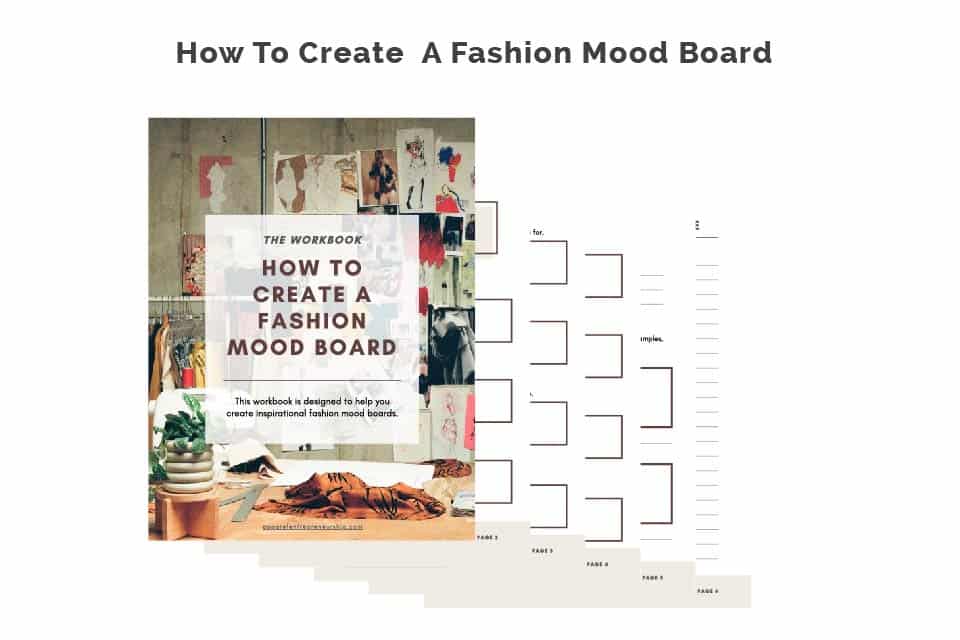
  • Build 2 boards: a mood board (vibe) and a reference board (details and construction).
  • Create a rough mockup: collage or photo markup to show silhouette and details.
  • Translate into technical decisions: measurements, materials, trims, construction notes.
  • Create a tech pack (or have someone create it from your boards).
  • Develop samples: prototype, fit sample, pre-production sample (PPS).
  • Track changes with fit comments and version control until approved.


Notice what’s missing: drawing skills. What matters is the decisions and documentation.


The 7 methods (choose your weapon)


Method 1: Use design templates (fastest)

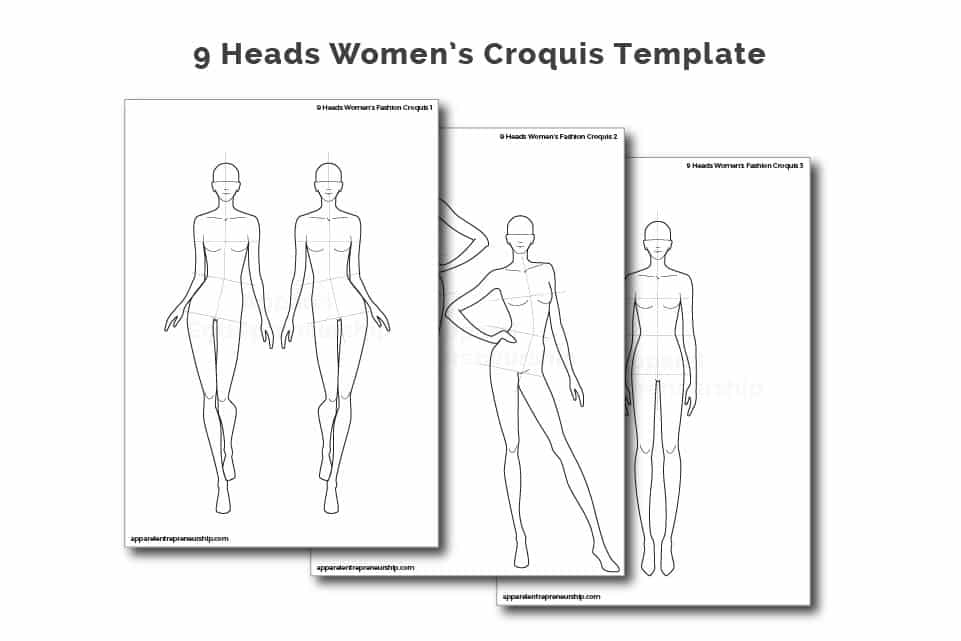
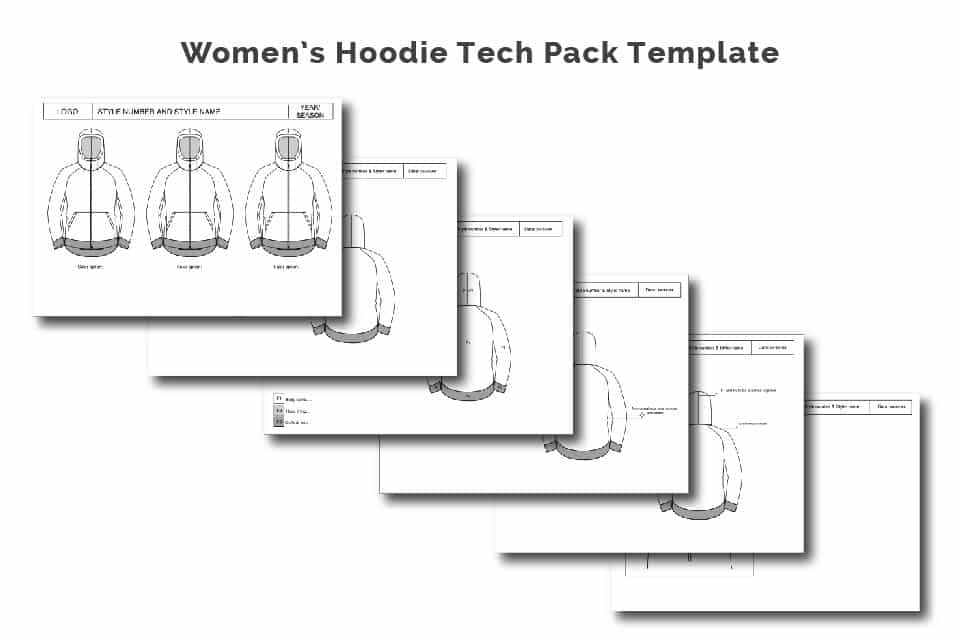
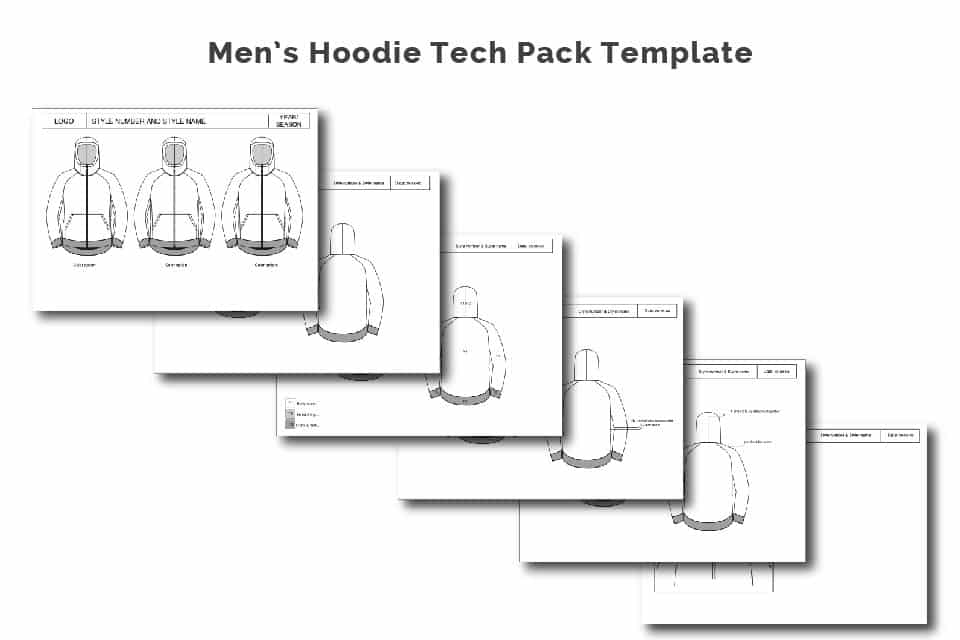
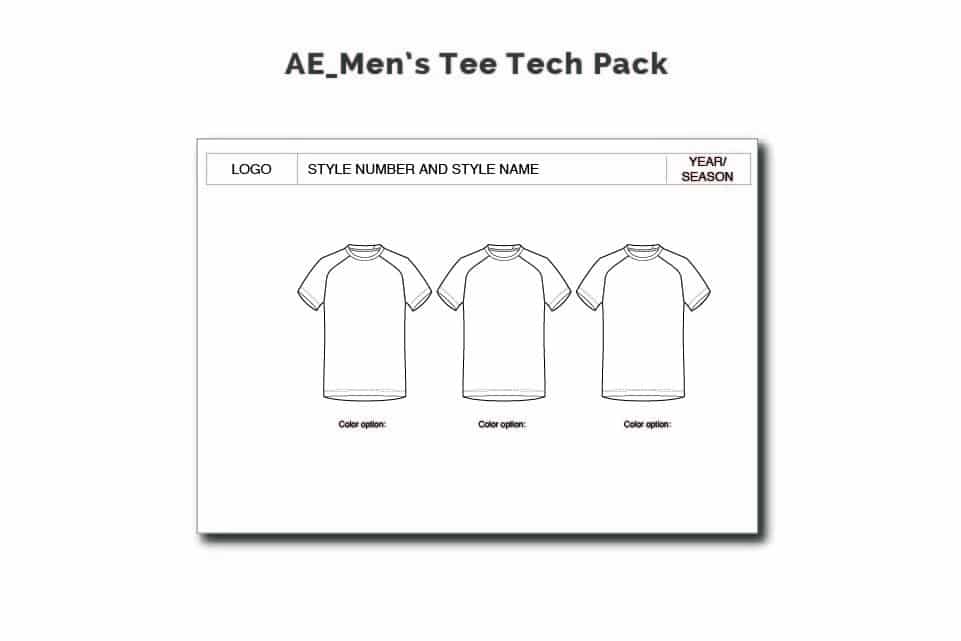
Use pre-made Illustrator flats and tech pack templates. You edit instead of drawing.

  • Best for: tees, hoodies, joggers, basics, simple outerwear.
  • Why it works: factories already understand technical flats. You just customize.
  • What to watch: don’t stay generic. Change fit, details, materials, and signature elements.
  • Pick a template closest to your category.
  • Edit the flat: hood shape, pocket type, panel lines, hem, cuff, collar, etc.
  • Fill in specs: measurements, BOM, construction notes.
  • Export PDF and use as your tech pack base.


Method 2: Build from reference photos (most common)

You combine references: silhouette from one garment, pocket from another, seam detail from another.

  • Choose 1 base silhouette reference.
  • Collect 3-8 detail references (pockets, zips, seams, hems, collars).
  • Crop to the useful parts only.
  • Put into one board and label each element.
  • Add notes: what stays, what changes, what you hate.

Rule: don’t copy full competitor products. Use references for elements and construction.


Method 3: Photo markup method (factory-friendly)

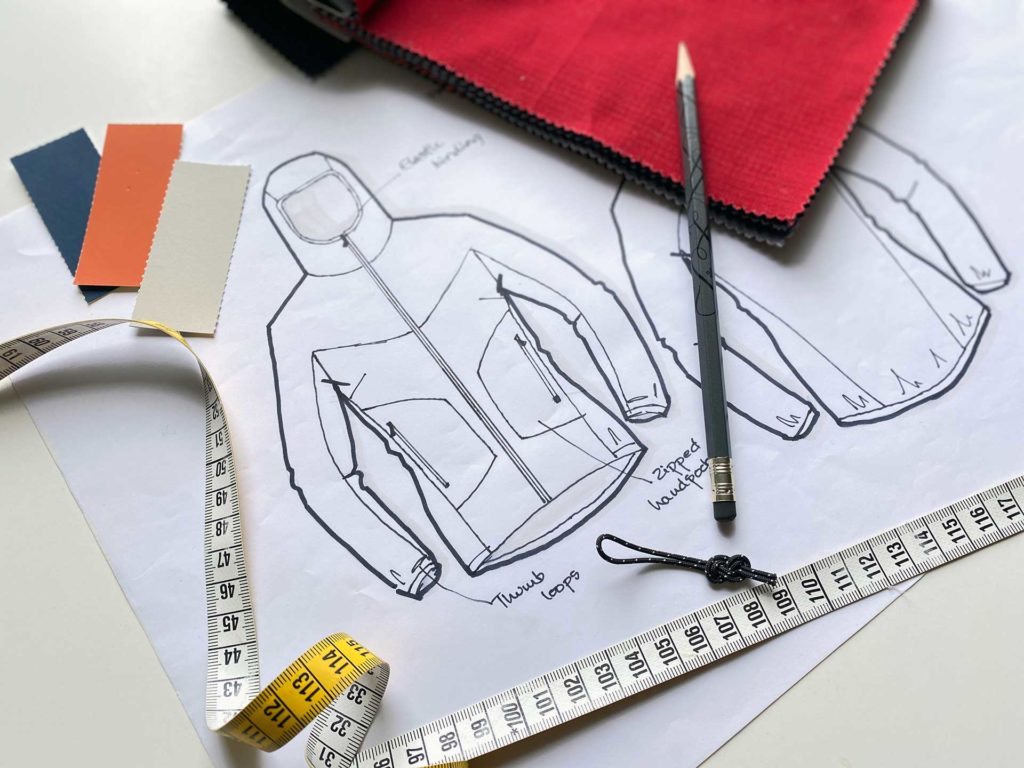
Take a photo of a similar garment and draw on top of it in Canva, Slides, Figma, or your phone.

  • Draw seam lines and panel placements.
  • Circle pocket openings and write measurements.
  • Mark length changes and write exact cm/inch changes.
  • Add notes for hardware and trims.

Photo markup is one of the fastest ways to turn taste into instructions.


Method 4: AI concept visuals (use it properly)

In 2026, AI is best used for ideation, exploration, and mood. Not final technical design.

AI is good for:

  • Exploring silhouettes and styling directions quickly.
  • Creating mood visuals for a collection theme.
  • Generating variations to spark ideas.
  • Print and pattern concept exploration.
  • Campaign and photoshoot vibe references.


AI is not reliable for:

  • Construction engineering.
  • Accurate seam detail drawings.
  • Measurements, tolerances, or fit accuracy.


Correct workflow: AI concept -> human decisions -> technical flats -> tech pack -> samples.


AI prompt templates (copy/paste)

Concept directions: Create 10 design directions for a product for customer. For each include: 6 keywords, silhouette description, material suggestions, and 3 signature details.

Variation: Generate 12 variations of this garment concept. Keep the same brand style: keywords. Change only pockets, seams, collar/hood, and length. Keep realistic to manufacture.

Prints: Create 20 print concepts for this theme: theme. Provide motif ideas, palette, scale suggestions, and printing method suggestions.


Method 5: Outsource to a technical designer or product developer

This is the fastest path to production-ready documents if you have budget.

The trap: founders outsource without clarity, then get back work that doesn’t match their taste.

– You have a clear customer and product purpose.

– You have references (silhouette + details + fabrics).

– You know target retail price and desired quality level.

– You can describe fit intent in plain language.

– You agree on deliverables: tech pack, measurement chart, BOM, revisions.


Method 6: Let the factory support development (works sometimes)

Some factories offer development support. This can work if they specialize in your category and have strong communication.

It can fail when factories push you into their default patterns and default fit. If you do this, demand documentation and confirmed specs in writing.


Method 7: Learn just enough drawing to be dangerous (30-day plan)

You don’t need to become a fashion illustrator. You need just enough to sketch decisions.

  • Week 1: trace basic garments (tee, hoodie, pants) to learn proportions.
  • Week 2: sketch from your own wardrobe as flat lays (focus on seams and details).
  • Week 3: 20 fast silhouettes per day (30 to 60 seconds each).
  • Week 4: redraw your top 5 designs cleanly and add detail callouts.


How to brief a designer, pattern maker, or factory when you can’t draw

If you can’t draw, your brief must do the heavy lifting. Use this exact structure.


The perfect design brief (copy/paste)

1) Product: what it is

2) Customer: who it is for

3) Use case: where and how they wear it

4) Fit intent: slim/relaxed/oversized + key fit notes

5) Materials: fabric direction + weight if known

6) Key details: pockets, closures, seams, reinforcements

7) References: attach 1 silhouette ref + 3-8 detail refs

8) Target price: retail and target factory cost (if known)

9) Timeline: sampling and production dates

10) What to avoid: list 3-5 no’s


Photo markup checklist (copy/paste)

Use this checklist every time you mark up a photo so it becomes factory-friendly.

– Include front and back photos (or flats)

– Mark all seams and panel lines that matter

– Mark all pocket positions and openings

– Mark all closures (zip, snaps, buttons) and write specs

– Mark lengths you want to change (+/- cm)

– Mark widths you want to change (+/- cm)

– Write fabric direction and weight (gsm) if known

– Write trim specs (cord, eyelet, zipper type)

– Add reinforcement notes (bartacks, stress points)

– Add what to avoid (no glossy hardware, no thin rib, etc.)

– Add version number and date (V1, V2)


Tools and apps (2026 list)

You don’t need all of these. Pick what matches your workflow.


For mood boards and references


For photo markup and quick mockups


For technical flats and tech packs


For 3D and digital sampling (optional)


For AI ideation (use carefully)


Common mistakes (and how to avoid them)

  • Giving vague instructions to factories. Fix: references + markup + measurable notes.
  • Using AI images as final design deliverables. Fix: translate to tech packs and specs.
  • Designing without price and margin reality. Fix: set target retail price and work backwards.
  • Copying competitor products too closely. Fix: combine references and create your own signatures.
  • Outsourcing without a strong brief. Fix: use the brief template and stay involved.
  • Skipping version control. Fix: V1, V2, V3 and a change log.


You don’t need to draw to design. But you do need to communicate decisions clearly.

Pick one method, follow the workflow, and translate your ideas into documentation a factory can execute.

If you want to move faster, use templates and get expert eyes on your first product. It will save you time, money, and frustration.


Clothing Brand Launch Accelerator - 6 Weeks

Get ready to build and launch a fashion/apparel brand from idea to first drop, with expert guidance. Next cohort starts April 2026

FAQ 


Can I start a clothing brand if I can’t draw?

Yes. You need a communication system, not illustration skills. Templates, reference boards, photo markups, and tech packs are enough.


What do manufacturers need if I can’t draw?

They need clarity: references, measurements, materials, construction notes, and ideally technical flats inside a tech pack.


Can AI create production-ready clothing designs?

AI can help with concept visuals and variations. It cannot reliably create production-ready specs. Use AI for ideation, then go technical.


Do I need Illustrator?

No, but Illustrator is the standard for flats. Many founders use templates or hire someone to create flats from references.


What is the fastest path from idea to sample?

Pick a category specialist factory, use a tech pack template, supply clear references and photo markups, and keep sample feedback measurable.


How we can help (templates, coaching, course, 6-week accelerator)

If you want to move faster and avoid expensive mistakes, here are the best ways we support founders:


Option 1: Templates 

  • Tech pack templates for common categories
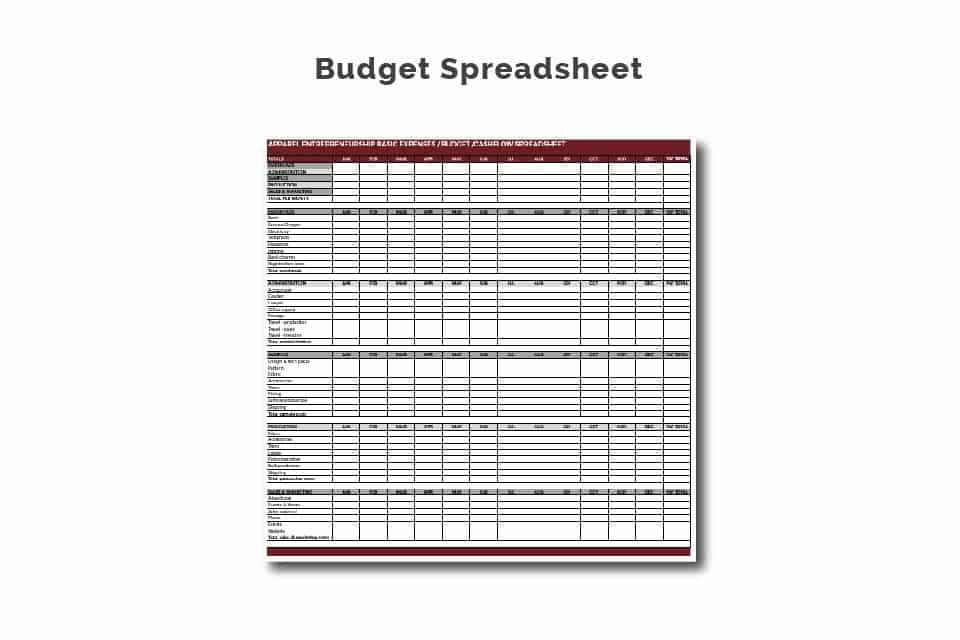
  • Measurement and BOM templates
  • Reference board and design brief templates
  • Photo markup checklist pack


Option 2: Coaching or advisory

Expert support to translate your ideas into a factory-ready plan, review your tech packs, and guide your sampling feedback so you don’t waste money.


Option 3: Course

Full step-by-step system to start and launch properly, including product development and manufacturing guidance.


Option 4: 6-week accelerator

Speed and accountability to go from idea to factory-ready plan and launch structure with weekly guidance.


Let’s grow your brand!

Sign up for our Newsletter, giving you industry updates, content, tools, inspiration, guides, and special offers.

Your data will be handled according to our privacy policy.